
First: the one-minute test
Open Google and type site:yourdomain.com, with your own domain and no spaces. Then read the result.
What the site: search tells you
- No results at all: Google has not indexed your site. Go to reasons 02, 09, 10 and 12.
- Your pages are listed: you are indexed. The problem is ranking, or where you are looking. Go to reasons 01, 03, 06, 07 and 08.
- Odd pages you never made, in another language or selling something: the site may be hacked. Go straight to reason 12.
- The site shows up but your business is missing from Maps: that is a different system. Go to reasons 04, 05 and 06.
One warning: site: is a rough check, not a full count; the number it shows is an estimate. For the real list you need Google Search Console, which is free.
01. You searched your name, not your service
The most common one, and not a fault. Search your business name and you will probably find yourself. Search "water heater repair" and you might not. New customers type the second kind, and every plumber in the county is competing for it.
How to check: search your business name, then the two or three phrases a new customer would type, like "emergency plumber". Note where you appear.
Fix: if you show up for your name, Google can see you. The work is in reasons 03 to 07.
02. The site is new and not indexed yet
Google has to find a site, crawl it and add it to its index before it shows it to anyone. For a brand-new domain with no links pointing at it, that can take days or weeks, on no fixed schedule.
How to check: run the site: search above. Then set up Google Search Console (free, at search.google.com/search-console), verify you own the domain, and paste your homepage address into the URL Inspection bar at the top. It tells you plainly whether the page is on Google, and if not, why not.
Fix: in URL Inspection, click Request Indexing for the homepage and main service pages. In the Sitemaps report, submit your sitemap (usually yourdomain.com/sitemap.xml). Then wait; asking twice does not make it faster.
03. You are indexed, but your pages don't say what customers search
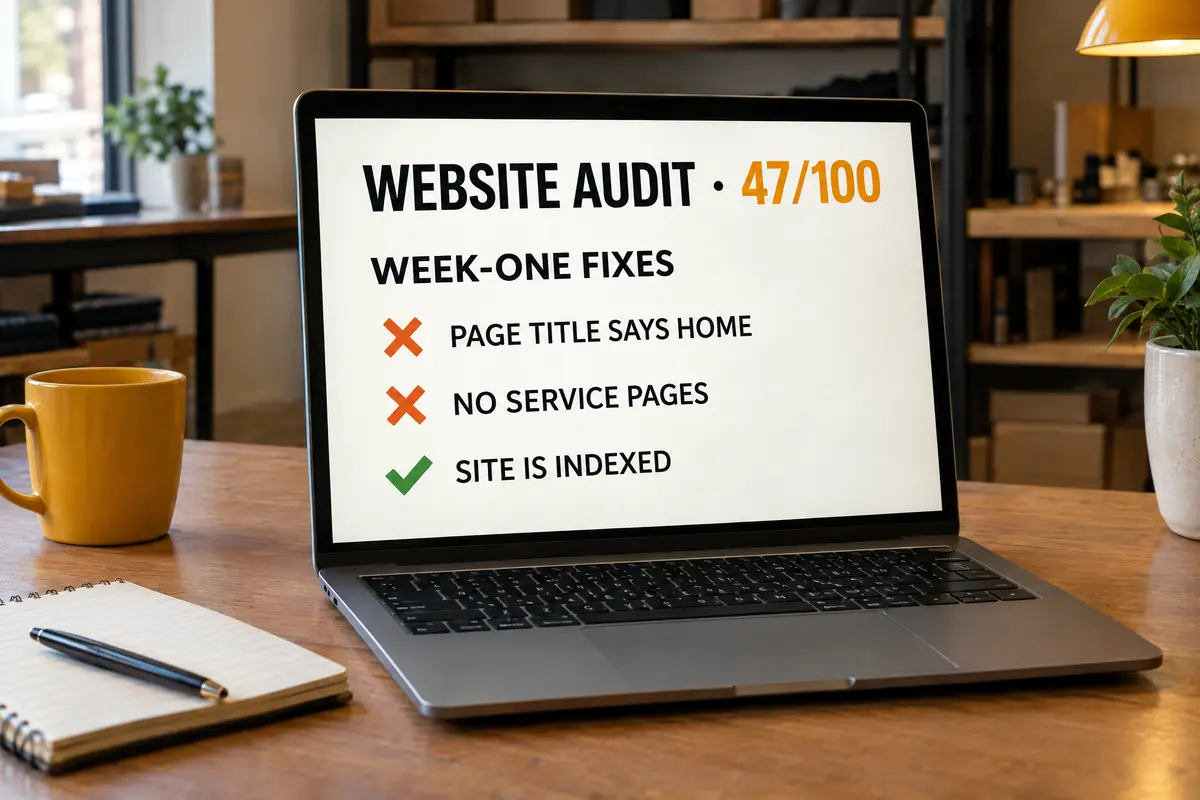
Google matches searches to pages. If your title tag says "Home", your main heading says "Welcome" and your services are one bullet list, no page on your site is clearly about "drain cleaning in Clairemont". A competitor with a page per service and per area gives Google an obvious match. You give it a guess.
How to check: read the text on your browser tab. That is your title tag. Does it name your service and your area? Is there one page per main service, and per main area?
Fix: give every page a title that says what and where, like "Water Heater Repair in Clairemont | Marrow Creek Plumbing", one clear main heading, and a few hundred useful words. Add a page per service, then per area. One good page beats ten copies with the city name swapped.
This is the core of local SEO in San Diego. The free audit grades your titles, headings and content if you would rather not count.
04. No Google Business Profile, or one Google isn't showing
Maps and the map pack, the three pinned businesses at the top of a local search, are not your website. They come from Google Business Profiles, a separate system with separate rules. Search "plumber" from Clairemont and none of the three pins got there on a website alone.
How to check: search your business name on Google Maps. Not there? No profile. "Own this business?" showing? Never claimed. Signed in as the owner, search your name on Google and the management panel shows whether it is unverified or suspended.
Fix: create or claim the profile at business.google.com and finish verification, which is Google's process on Google's timeline. If it is suspended, find the cause (usually the address, the name or the category), fix it, and file the reinstatement request. We do the whole setup by hand for one location in the $750 Google Business Profile setup, including help through verification.
05. The profile exists, but it is set up wrong
A verified profile can still miss the search you care about. Usual causes: the wrong primary category ("Contractor" when you are a roofer), no services listed, a service area that misses the customer, or a home-based business showing its home address.
How to check: open the profile manager. Is the primary category the most specific fit? Are your services listed? If you go to customers, is the address hidden and a service area set?
Fix: set the most specific primary category, add secondary categories only for things you really do, list every service, and set up a service-area business properly: address hidden, service area set to the places you actually cover. We go through this field by field in Google Business Profile not ranking? 12 checks.
06. Distance, relevance and prominence
Google says it plainly in its own help page, How Google determines local ranking: local results are based mainly on relevance, distance and prominence. Relevance is how well your profile matches the search. Distance is how far you are from the searcher, or from the place they named. Prominence is how well known you are, and Google's page says that includes how many reviews you have and how many websites link to you.
San Diego County is big and spread out, so distance bites. A roofer based in Escondido will struggle to show in the map pack for someone searching from Chula Vista, however good the profile. That is not a penalty. It is the system working as designed.
How to check: ask someone in the area you want to win to search your service on their phone and send a screenshot.
Fix: you cannot move, so work on the two you control: relevance (categories, services, service pages) and prominence (reviews, links, consistent listings). Organic results reach further than the map, so area pages can win neighbourhoods the map pack will not give you. More on this in how to rank in the San Diego map pack.
07. Your competitors simply have more
Sometimes nothing is broken. The businesses above you have more pages, more reviews and more sites linking to them.
How to check: search your main service, open the top three results and compare honestly: pages about the service, number and age of reviews, real detail on the site.
Fix: no switch, only work. Ask every happy customer for a review with a direct link; never buy or write fake ones. Add real pages. Get listed consistently on the main directories. It takes months.
08. Results change with where you search from
There is no single Google ranking. Results change with location, device and, to a degree, your search history. "Electrician" searched from Kearny Mesa is not what a homeowner in Oceanside sees, and showing up first in your own parking lot proves little.
How to check: search from an incognito window, and ask people in different parts of your service area to search the same phrase and send screenshots.
Fix: stop judging by one search. Track the same ten phrases from the same places every month, which is what proper rank tracking does, and watch the trend.
09. A setting is telling Google to stay away
Site builders have a switch to hide a site from search engines during the build. WordPress calls it "Discourage search engines from indexing this site"; most others have something similar. It gets forgotten at launch more often than anyone admits, and it adds a noindex tag telling Google not to list the page. The other version is a robots.txt file that blocks the whole site, copied over from a test site.
How to check: on your homepage, right-click and choose View Page Source, then search the page (Ctrl+F or Cmd+F) for noindex. Then visit yourdomain.com/robots.txt. If you see Disallow: / under User-agent: *, the whole site is blocked from crawling. URL Inspection in Search Console reports both.
Fix: untick the builder setting, or remove the noindex tag and the blanket Disallow line, then request indexing in Search Console. If the site was built by someone else, ask them to check both before you pay the final invoice.
10. The site is empty until JavaScript runs
Some sites send an almost blank page plus code that builds the content in the browser. People never notice. Crawlers do. Google can run JavaScript, but as a separate, later step that does not always go smoothly, and many other crawlers, including link previews in texts and social apps, do not run it at all. To them your site is a blank page with a logo.
How to check: open View Page Source on your homepage (not Inspect, which shows the finished page) and search for a sentence you can read on the page. If your words are not in the source, the content is built by JavaScript. In Search Console, URL Inspection, then Test Live URL, then View Tested Page, shows what Google actually got.
Fix: the content has to be in the HTML the server sends. Depending on how the site was built, that means server rendering, pre-rendering, or rebuilding the key pages as plain static pages.
Why our own site is built this way
This page is plain HTML: these words were in the file our server sent, before any script ran, so every crawler sees the whole page on the first request. It is fast too: Google's PageSpeed Insights scored our home page 93 for mobile performance and 100 for SEO on October 2, 2026. The free audit reads your site without running JavaScript, so if your pages are empty to a crawler, the report shows it.
11. Google sees several versions of your site
Your site can answer at http and https, with and without www. If all four load without redirecting to one, Google sees duplicates and picks one itself. A canonical tag, which names the main address, makes it worse when it points at the wrong one: an old domain, the test site, or the homepage from every page.
How to check: type all four versions into your browser: http://yourdomain.com, http://www.yourdomain.com, https://yourdomain.com and https://www.yourdomain.com. All four should end on the same address, with the padlock. Then search the page source for canonical and check it points to the page you are on. URL Inspection shows the canonical you declared next to the one Google picked.
Fix: pick one version, redirect the other three to it permanently (a 301 redirect), and make every canonical tag point at the page's own address on that version. Your host or builder settings usually handle the redirects in a few clicks.
12. A manual action or a security problem
The rare one, and the one people assume first. Google can act against a site by hand for spam, like hidden text or paid links. More often for a small business, the site was hacked: someone added spam pages, and Google warns searchers off or drops the site.
How to check: in Search Console, open Security & Manual Actions and look at both Manual actions and Security issues. Most sites will see "No issues detected". Also look at your site: results for pages you never made.
Fix: clean the site or fix what the report names, change passwords, update plugins, then click Request Review and say what you fixed. Google reviews it on its own timeline.
When the site starts showing up
Fix the right reason and the calls start. Then the phone rings while you are on a roof or under a sink, and the caller tries the next business on the list. Showing up only pays if someone answers. Our other door builds AI phone answering that books the job while you work: custom builds and AI.
Rather not run twelve checks yourself? Run the free audit. It reads your homepage and up to three inside pages and tells you what to fix first. It cannot see your rankings or your Search Console data, and it says so.