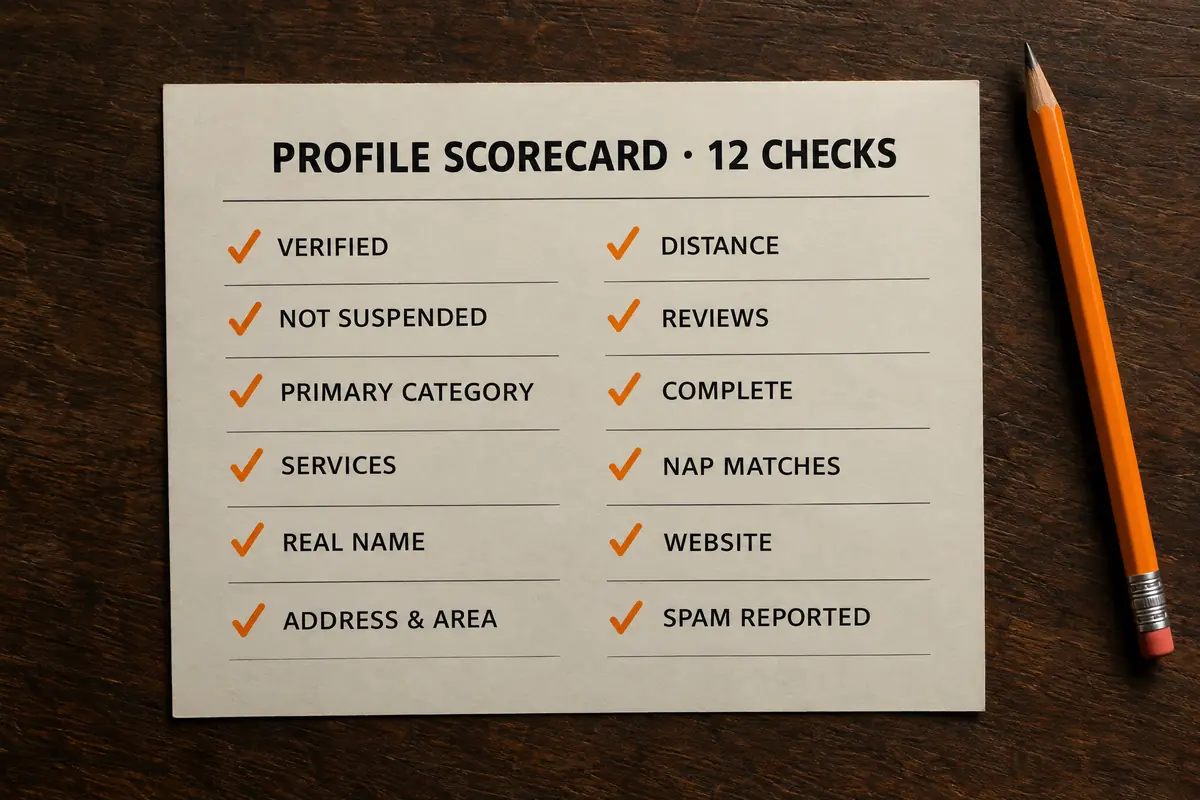

How does Google decide who shows in Maps?
Google publishes the answer. Its help page on improving your local ranking says local results are based mainly on relevance, distance and prominence, that review count and score factor in, and that there is no way to request or pay for a better local ranking.
The checks below stick to what Google says it uses and what its Business Profile guidelines allow. Each has three parts: what to look at, how to check it, and the fix. If you are in San Diego County and would rather someone else did the clicking, that is what the $750 profile setup is for.
01 / Is the profile verified?
What to look at
Whether Google treats you as the confirmed owner. Google's own ranking tips tell you to verify, and an unverified profile shows up unreliably, if at all.
How to check
Signed in to the Google account that should own it, search your exact business name. The profile manager appears above the results. A prompt to get verified means you are not done.
The fix
Finish verification. Google picks the method: recorded video, live video call, phone, text, email or postcard. For video, have your branded vehicle or signage, your tools and proof of the business ready, and record in one continuous take. If someone else's account owns the listing, request ownership; do not create a second one.
02 / Is it suspended, restricted or stuck on pending edits?
What to look at
Notices from Google. A suspended profile drops out of Maps or locks you out of editing. Edits under review can sit for days while everyone else sees the old information.
How to check
Read the top of the profile manager and its notifications. Then open Google Maps signed out, or in a private window, and search your business name. If you cannot find yourself by exact name, the problem is here, not in your ranking.
The fix
For a suspension, find the cause first: usually a keyword-stuffed name, a mailbox or virtual-office address, a category that does not fit, or a big name or address change made all at once. Fix it, gather documents proving the business is real at that location, then appeal from the profile manager. Never create a new profile to get around a suspension. For pending edits, wait; resubmitting does not speed it up.
03 / Is the primary category right?
What to look at
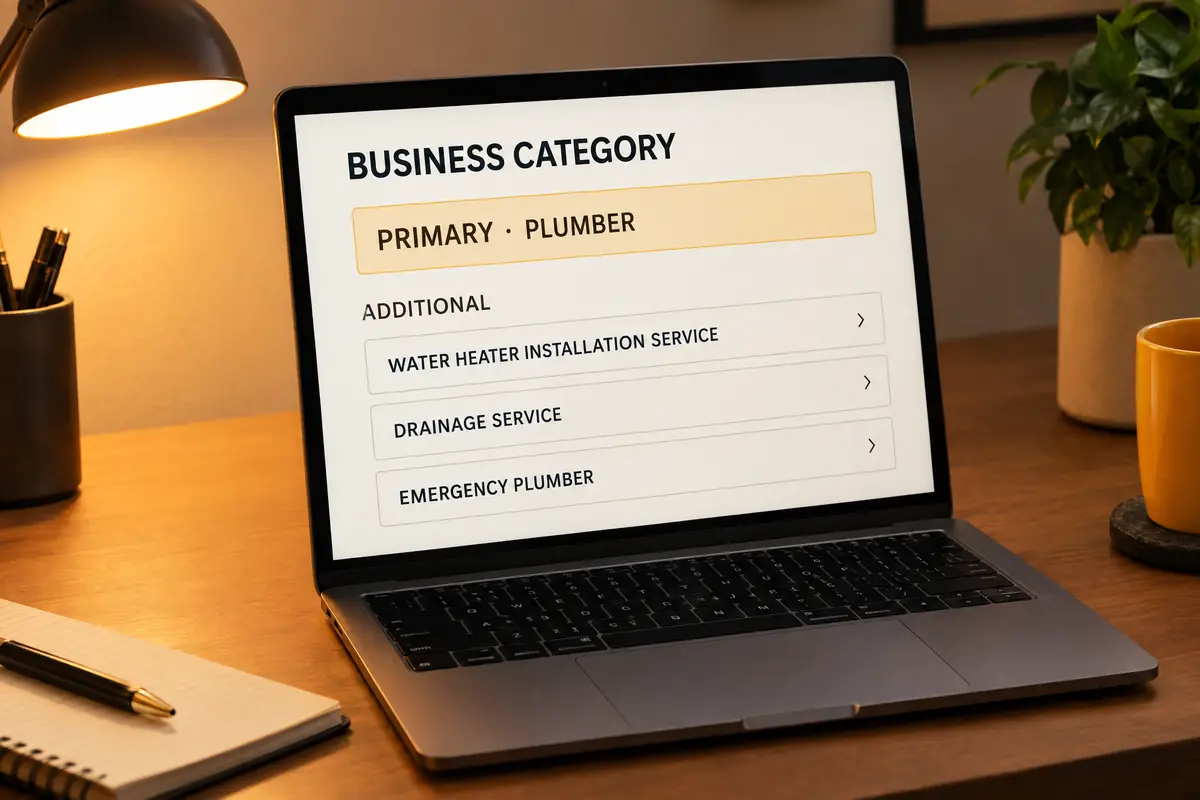
The one category Google treats as what you are. Of everything you control on the profile, it is the biggest relevance lever: Google matches "water heater repair" to businesses whose categories say they do that work.
How to check
In the profile manager, open the business information editor; the first Business category listed is the primary. Then search your main service on Maps. The top three show their primary category under the name. If all three say "Plumber" and you say "Contractor", you have found a problem.
The fix
Choose the most specific category for the core of the business, the one most of your revenue comes from: "Roofing contractor", not "Construction company". A category change can send the profile back through review, so make it once and leave it.
04 / Secondary categories and the services list
What to look at
The additional categories (up to nine besides the primary) and the services list. They tell Google about your other real lines of work: the HVAC company that also cleans ducts, the landscaper who also installs irrigation.
How to check
Read every secondary category and ask whether you would take that job tomorrow. Then open Services: how many are listed, and does each have a description?
The fix
Add every category that is genuinely part of the business and remove any added for traffic. Tick the suggested services that apply, add custom ones for the rest, and describe each in plain words. Shops should fill Products too.
05 / Is the business name your real name?
What to look at
The name field, character for character. Google's guidelines say it must match your real-world name and prohibit adding extras like a city or a service. "Marrow Creek Plumbing" is a name. "Marrow Creek Plumbing San Diego Emergency Drain Cleaning" is a violation.
How to check
Put the profile name next to your truck, invoices, website header and, for contractors, your state license. They should match.
The fix
Take the keywords out. Yes, stuffed competitors rank; they are one suggested edit from losing it, and stuffed names are a common cause of suspension. Keywords belong in categories, services, the description and your website.
06 / Address or service area: which are you?
What to look at
Storefront (customers come to you) or service-area business (you go to them). Google's guidelines say to hide the address if you do not serve customers there, and they do not allow mailboxes, PO boxes or virtual offices.
How to check
In the business information editor, open Location and Service area. Is the address shown or hidden, and which areas are listed? The guidelines also say the service area should not reach much past about two hours' drive from your base.
The fix
Pick the honest setting. A plumber working from a home in Clairemont hides the address and lists the cities they cover; a clinic with a front desk shows it. The part most owners miss: hiding the address does not detach you from it. Ranking is still tied to the verified location. Listing Chula Vista, Escondido and Oceanside tells customers where you drive. It does not make you rank in all three.
07 / Where is the person searching?
What to look at
Distance between your verified location and the searcher. San Diego County is big, and a "near me" search in one neighborhood returns different businesses a few miles away. A plumber verified in Kearny Mesa can rank well in Clairemont and rarely appear for someone searching in Oceanside. That is not a fault in the profile. It is how distance works, and it explains most "not ranking" complaints.
How to check
Stop judging from your own office. Search your main service from several points: your phone at job sites, or customers across the county sending screenshots. Rank-tracking tools do this at scale, laying a grid of points over the map and recording your position at each.
The fix
You cannot move the pin without moving the business; a second location must be a real, staffed place that passes its own verification. You can widen the circle with stronger relevance (checks 3 and 4), more prominence (8, 10 and 11) and website pages for the areas you cover. For areas simply too far, Google Ads can target any zip code. Our guide to ranking in the San Diego map pack goes deeper.

08 / Reviews: count, recency and replies
What to look at
How many reviews, the rating, how recent the newest are, and whether you reply. Google says review count and score factor into local ranking and tells owners to respond.
How to check
Line up against the top three for your main search: count, rating, date of latest review. Then count your own reviews with no reply.
The fix
Ask every customer after every job, by text the same day, with your direct review link. Reply to every review, briefly and like a person. And never buy reviews, write your own, ask staff or family, pay with a discount, or send only happy customers to Google. Google's policy prohibits selectively soliciting positive reviews, and fake engagement can get reviews removed and the profile restricted. The $750 setup includes the review link, a QR card, an ask script and an SMS template.
09 / Is the profile actually complete?
What to look at
Every field: hours, holiday hours, phone, website, the 750-character description, attributes, photos and products. Google has retired Q&A on profiles, so that one is no longer on the list. Google's ranking tips start with entering complete business information.
How to check
Go through the editor tab by tab; the profile manager also flags missing items.
The fix
Fill every field that is true. Set holiday hours so you never show closed when you are open. Write the description plainly: what you do, for whom, where. Upload your own photos of real work, the team and the vehicles. Posts are worth doing because they keep the profile current and give searchers a reason to call. Google has not said they are a ranking factor, and we will not tell you they are.
10 / Name, address and phone everywhere else
What to look at
Your name, address and phone (NAP) across the web. Google says prominence draws on what it knows about a business from across the web, directories included.
How to check
Search your phone number in quotes, then any old number or address. Check Bing Places, Apple Business Connect, Yelp, Facebook, BBB, Angi, Houzz, Thumbtack and Nextdoor.
The fix
Claim each and match your Google profile exactly, down to "Suite" versus "Ste". Bing Places and Apple Business Connect also feed Bing and Apple Maps. The $750 setup fixes the top 10; the Local SEO Starter builds out 50+ directories in month one and keeps them right.
11 / The website the profile links to
What to look at
The page your website button opens. Google reads it to understand what you do and where.
How to check
Click your own website button. Does the page load fast on a phone? Do its title and main heading name your trade and area? Does it show the same NAP as the profile? Is there a page for each main service?
The fix
Link to the page that best matches the profile, usually the homepage. Make it say the trade and the area, match the NAP, and link to one page per main service. If the site is not in Google at all, read why your website is not showing up on Google, or get the free website audit.
12 / Spam competitors and duplicate listings
What to look at
The listings above you. Sometimes you are losing to a business that does not exist: keyword-stuffed names, no real address, several listings on one phone number, lead-generation listings that resell your call. Look for duplicates of your own business too; an old listing from a past address can split your reviews.
How to check
Read the top ten on Maps for your main services. Look up suspicious addresses in Street View and compare names with each business's website and, for contractors, the state license lookup. Search your own name and old number for duplicates.
The fix
For a single problem, use "Suggest an edit" on the listing in Maps: propose the real name, or report the place as nonexistent or a duplicate. For serious or repeated violations, use Google's Business Redressal Complaint Form, with screenshots, one listing at a time. For your own duplicates, report the stale one through Maps or ask Business Profile support to merge or remove it. Never delete and recreate your real profile; you lose its reviews.
What if all 12 check out?
Then you are probably outranked, not broken, and the gap is prominence: more real reviews, consistent citations, a better website, and time. That is ongoing work. The Local SEO Starter does it for $1,400 a month, month-to-month. Nobody can honestly promise you the top spot; Google says nobody can pay for one. What you control is a profile with no reason to rank lower than it should.